These are the sections that open inside the Sazgar program. Home and settings are included. The other sections turn on when that module is added.
3Included with the program
16Sidebar
12Add-on
Included with the program
3
Free
Home / dashboard
Use: the starting point and a shortcut into the other sections. On this screen, with no separate purchase, everyone has the financial summary, today's events, the system log, and the journal view. A timed note on the dashboard is a separate optional module.
Free
Registration and base settings
Use: categories, packaging, currency, goods class, the company profile, and the other base records you need before real work starts.
Benefit: without this section, invoices and the warehouse become scattered and inconsistent.
Free
Program settings
Use: language, theme and color, font, menu order, decimal places on amounts, and the general behavior of the program.
Benefit: your organization can set the interface to match how you already work.
Sidebar
16
$20
Customers
Use: register a customer once and reuse that record on a standard sales invoice and anywhere else an official customer is required.
Benefit: one set of details, fewer repeated names and mistakes, and a clear sales report by customer.
$5
Debtors
This section is for people who are not a party on a sales or purchase invoice, but may still hand you cash or receive cash by hand.
Benefit: cash that never passes through an invoice stays organized, and it is not mixed with an official customer or supplier.
$5
Employees
Use: employee files, basic details, and a link to attendance and the personnel steps the manager has turned on.
Benefit: staff information is less scattered, and attendance and related work are easier to follow.
$20
Shareholders
Use: record shareholders, each person's share, and the ownership details that keep the financial and legal boundary clear.
Benefit: profit sharing, a new partner's share, and reports to stakeholders all sit in one place, so a paper file is less likely to be forgotten or disputed.
Suited to companies with more than one owner who want ownership claims and obligations followed more formally.
$10
Warehouses
Use: several warehouses, stock, transfers between warehouses, and a link to ordinary purchase and sales invoices that raise or lower stock.
Benefit: real control of goods. It is different from quick sale, which is meant not to change stock.
$10
Suppliers
Use: register suppliers and connect them to purchase invoices and the receipt and payment flow.
Benefit: purchase debt stays traceable, and a supplier is kept separate from a customer.
$15
Purchase invoice
Use: record purchases of goods and services with line items and a draft. Under the normal rules, stock and the supplier side are updated.
A return from a customer can be recorded here as well: goods coming back from a customer are entered like a purchase.
Benefit: an ordinary purchase and a purchase from a customer are handled on one form.
$15
Sales invoice
Use: a standard sales invoice with a chosen customer and goods, line items, and a draft. With the right settings, warehouse stock is controlled too.
Benefit: an official sale with a correct goods movement and a report you can rely on. Quick sale is the opposite: it prints without reducing stock.
$20
Goods and products
Use: define goods, price, unit, and packaging, and connect them to the warehouse and ordinary invoices.
Benefit: one base for documents that must change stock. It differs from quick sale, which does not reduce stock even when the item exists.
$15
Expenses
Use: everyday spending outside an invoice — shop rent, electricity, staff travel, office costs, and other running costs, with categories.
Benefit: the period's real profit is seen apart from invoice income, and fixed and variable costs stay clear.
$15
Cash box (receipt and payment)
Use: cash received and cash paid for every person defined in the system — customer, supplier, employee, and others — in one section.
Benefit: you do not need a new invoice each time. Cash flow is tied to the whole system, and the cash balance is easy to follow.
$30
Services
Use: sell and follow non-goods services, defined apart from a physical product.
Benefit: a service business can manage service income separately from goods, without a heavy warehouse.
$15
Goods returns (separate module)
Use: a separate optional module for a formal return, with line items and a draft, purchased on its own.
If returns are few, the “return purchase from a customer” flow on the purchase invoice may be enough. This module is for separate control and a larger volume.
Benefit: the return report and returned stock are clearer than the same facts scattered across handwritten documents.
$15
Manual journal
Use: the manual journal looks like a sales invoice but has no product line. You type the details yourself.
Benefit: simple documents, a small receipt, or a printable record when you do not want an official goods invoice.
$25
Meter reading and electricity
This module works completely apart from ordinary buying, selling, and the warehouse.
Use: electricity bills, periods, meter readings, and collecting what is owed, for people who work in that field.
Benefit: if that is not your business, you do not need to buy it. It is not mixed into a general shop.
$70
Restaurant
A module fully separate from the body of an ordinary shop.
Use: menu, takeaway orders, tables, rooms, and hall capacity for a restaurant or fast food.
Benefit: orders and the dining room do not depend on the warehouse invoice built for a goods shop.
Add-on
12
$15
Barcode
Use: define and use barcodes for goods and for warehouse and sales work.
Benefit: a faster cash desk and fewer mistakes when typing an item code.
$10
Reports
Use: printable lists — such as a product list and print-ready tables that match the modules you have turned on.
This is different from charts: a report is a list you can print; charts are the overall picture.
Benefit: filing, handing work to an accountant, and reading row by row.
$50
Quick sales invoice
How it works: you can sell an item you do not have in stock, and you can sell to a customer who is not registered. Even if the item exists in the system, stock is not reduced, and the same line can be used without a quantity limit.
Benefit: for someone who only wants a printed invoice and does not want the warehouse involved. It stays separate from the ordinary sales invoice, which does control stock.
$20
Figures and charts
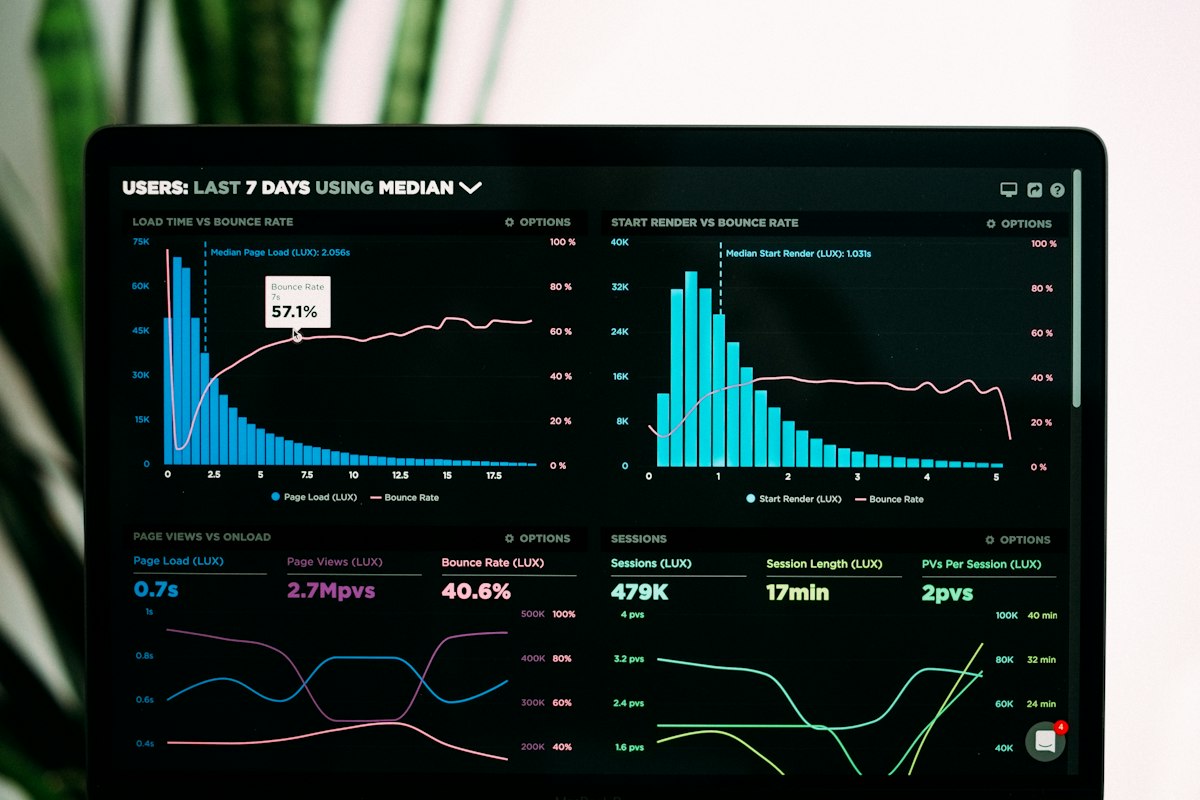
Use: the same system data shown in about four summary charts — one overall look at the trend.
Different from reports: a report is a list you print; these figures are the overall picture.
Benefit: a manager quickly sees which way sales, costs, or balances are moving.
$5
Puzzle games
Use: a light game inside the program for a short break.
Benefit: ease the day's pressure without leaving the workplace.
$5
Notifications
Use: a notification center for important events inside the program.
Benefit: fewer important things get missed.
$5
Dashboard notes
Optional module: a note on the home screen, with a time and a reminder.
Benefit: the day's work and appointments stay where you already keep the accounts.
$30
Bank and exchange on the dashboard
Optional module: a shortcut to the bank and the exchange, like a center for buying, selling, and moving money that is connected to the whole system.
Benefit: bank and exchange work is reached quickly, without opening deep menus again and again.
$10
WhatsApp group message
Use: send one message to a large group of customers, employees, shareholders, or suppliers, according to the service settings.
Benefit: tell many people at once without typing each message by hand.
$50
Mobile version
Use: the full program on Android and iPhone, with a mobile interface.
Benefit: the same data stays with you.
$40
Internal chat
Use: text conversation between colleagues inside the program.
Benefit: coordinate without scattering the talk across other messengers.
$10
Company assets
Use: record fixed assets and company property from the base settings — beyond goods you sell.
Benefit: insurance, a financial report, or handing over equipment can start from an official property list.


 Free
Free